
Mode A
How community pricing works
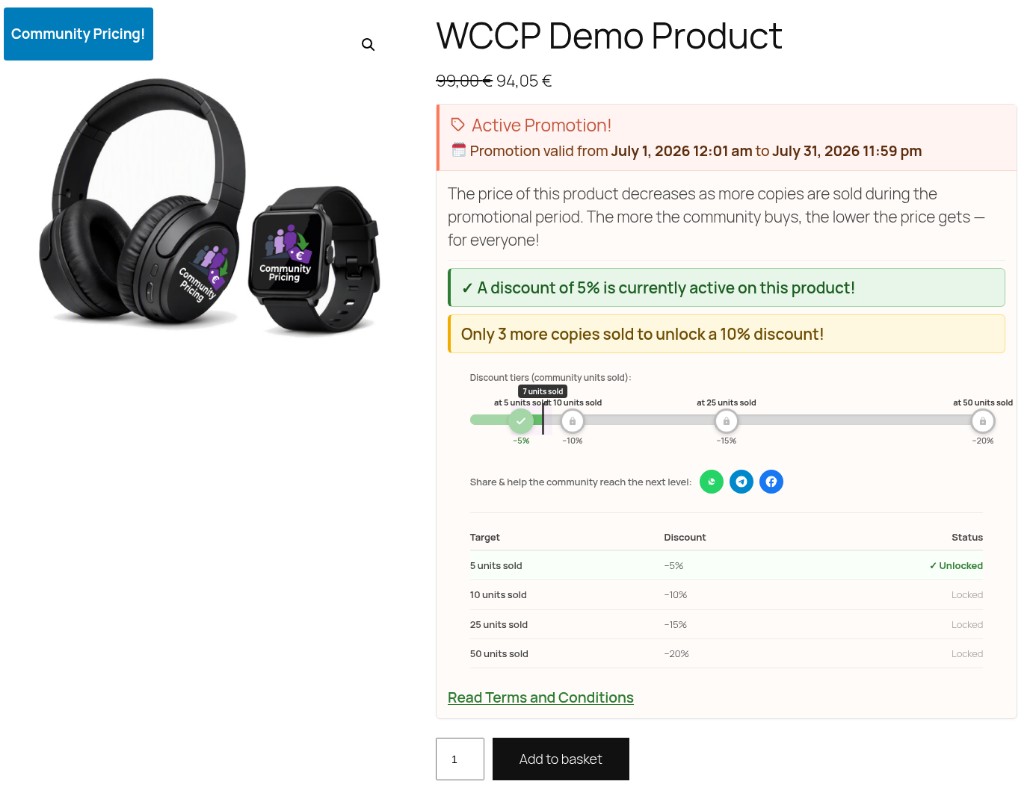
Live price follows eligible paid orders — not carts. When the community unlocks a lower tier, PRO equalizes earlier buyers with Store Credit or payment gateway refunds where supported.
The flow at a glance
- 1Eligible sales count
Only confirmed paid orders move the thresholds.
- 2Live community price
The storefront price updates as those sales unlock tiers.
- 3Cart = preview only
Cart can show a projection — it does not unlock the live price.
- 4Equalization at end
PRO issues Store Credit or gateway refunds where supported; FREE calculates only.
Key point: items in the cart do not unlock the community price — only eligible sales do.
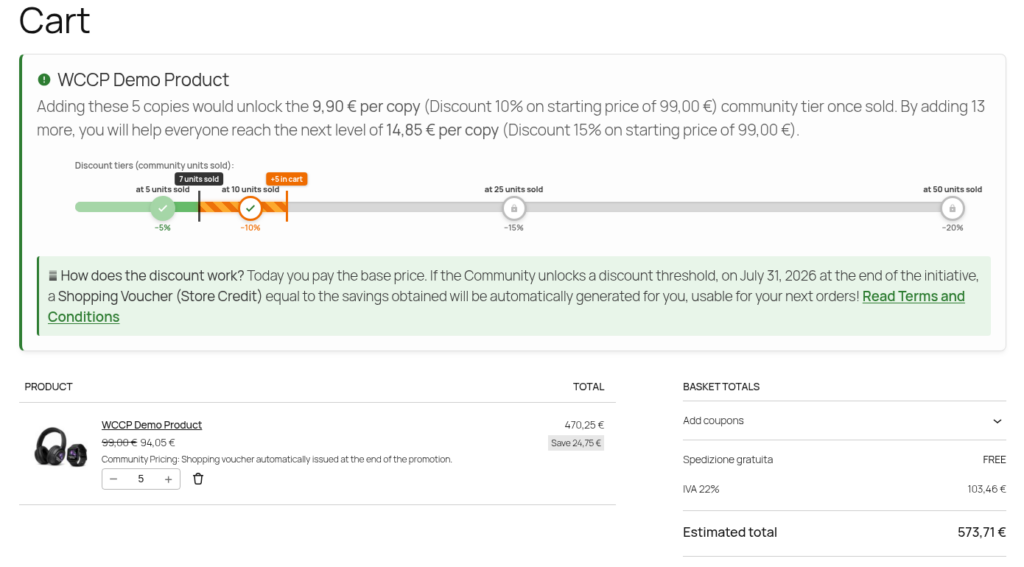
Amber in cart = preview
The cart can show what would unlock if those sales became eligible. It does not change the live storefront price by itself.
Also worth knowing
- You set the thresholds on the product (e.g. 5 / 10 / 25 / 50 units).
- Unpaid orders don’t count toward thresholds — even if the cart shows a lower projected price.
- Safety Guard (when enabled) reviews equalization before Store Credit or gateway refunds go out.
Quick answers
- Does my cart unlock the price?
- No. Only eligible paid (and configured) community sales move thresholds.
- Do unpaid orders count?
- No. They can refresh to the new live price before payment, but they don’t advance the campaign.
- I already paid — am I protected?
- Yes. When a lower tier unlocks, PRO can equalize you via Store Credit or gateway refund where supported (after Safety Guard if enabled).